Twilio Sms integration
Note:Before make a call kindly set your Geographic Permissions click here:
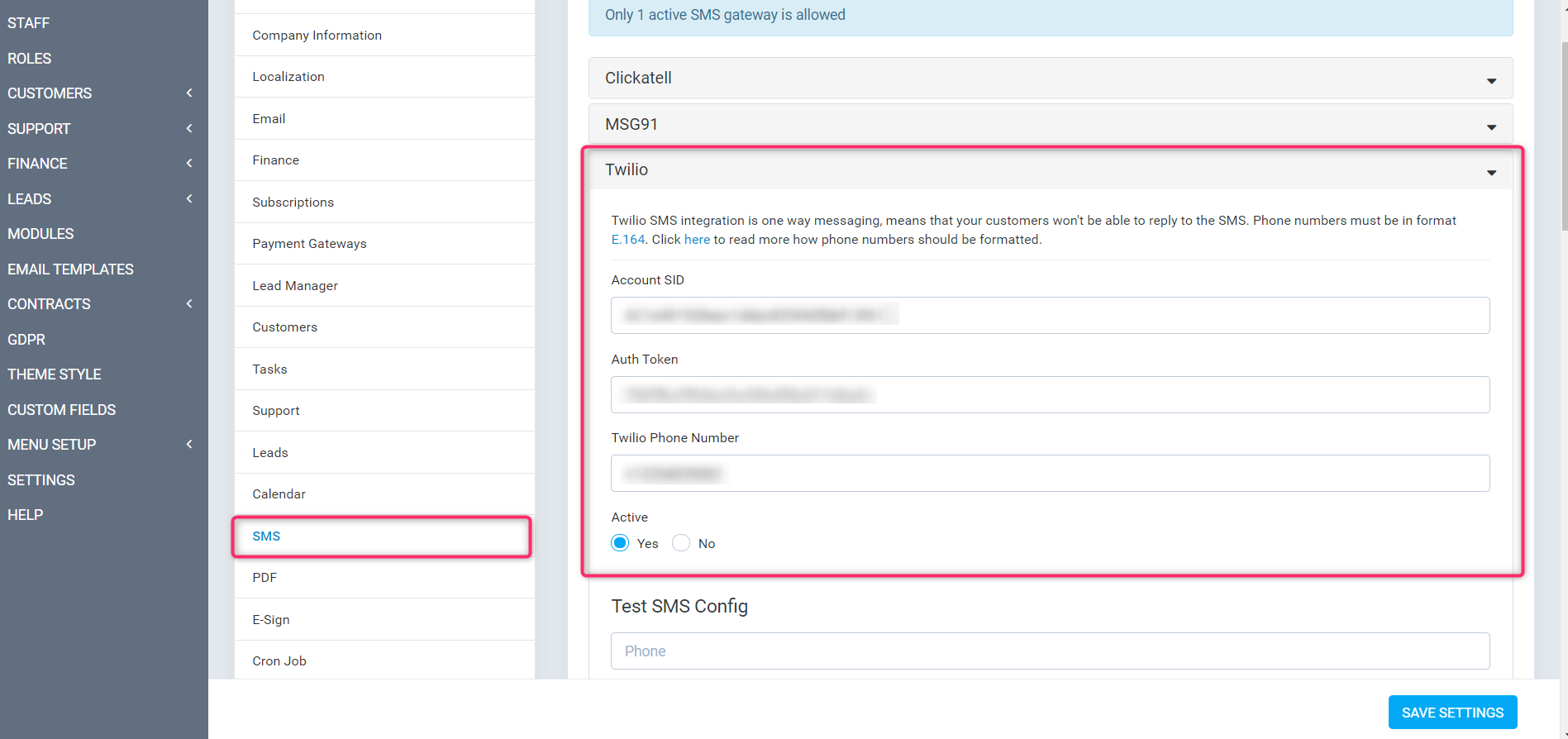
Step1: Open then Perfex CRM click into Setup
Step2: Setup--> Settings--> Sms--> Twilio
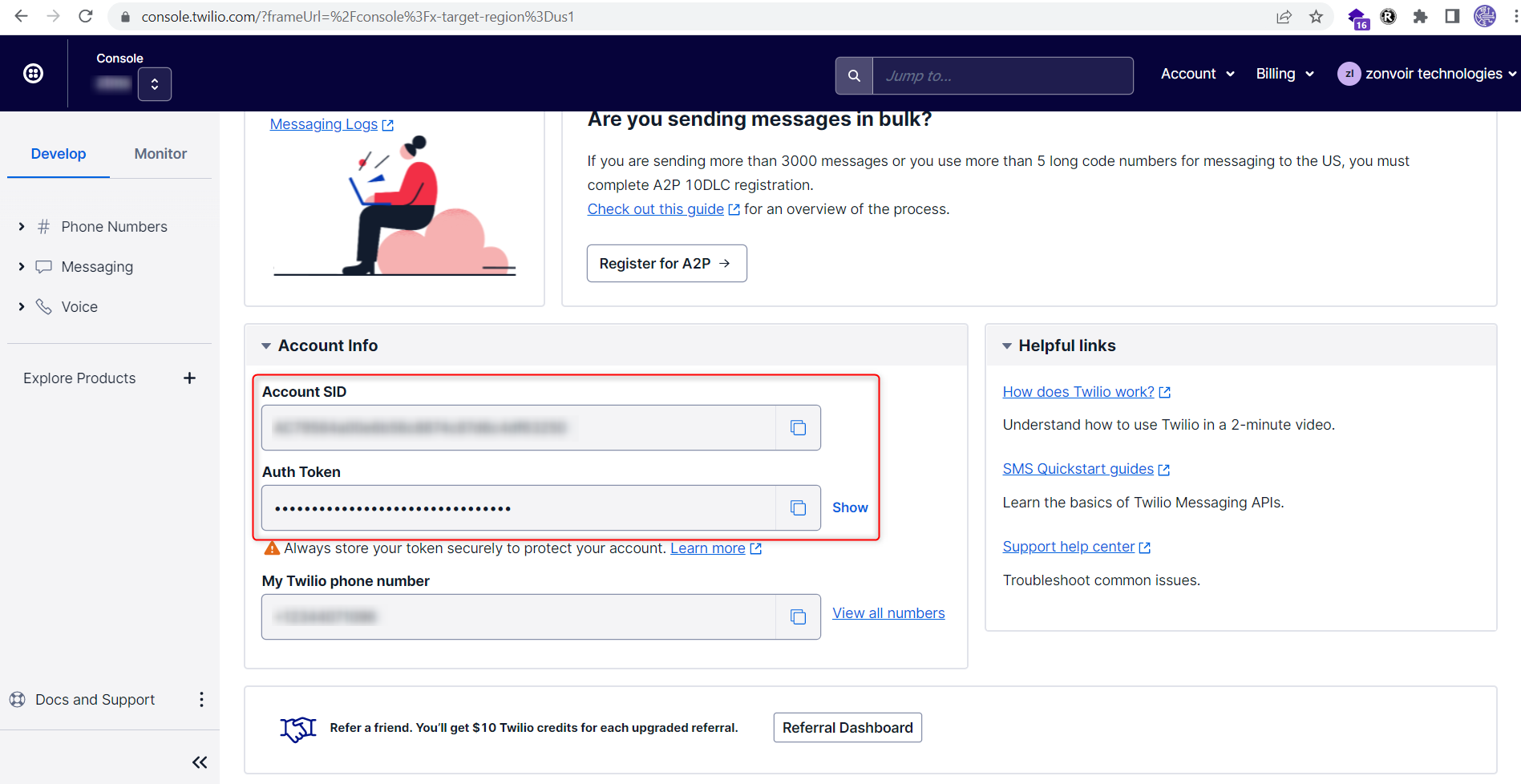
Find details in Twilio account
Login the twilio account on dashboard page account SID and Auth Token will be there.
URL- https://www.twilio.com/console
1- Account SID
2- Auth Token
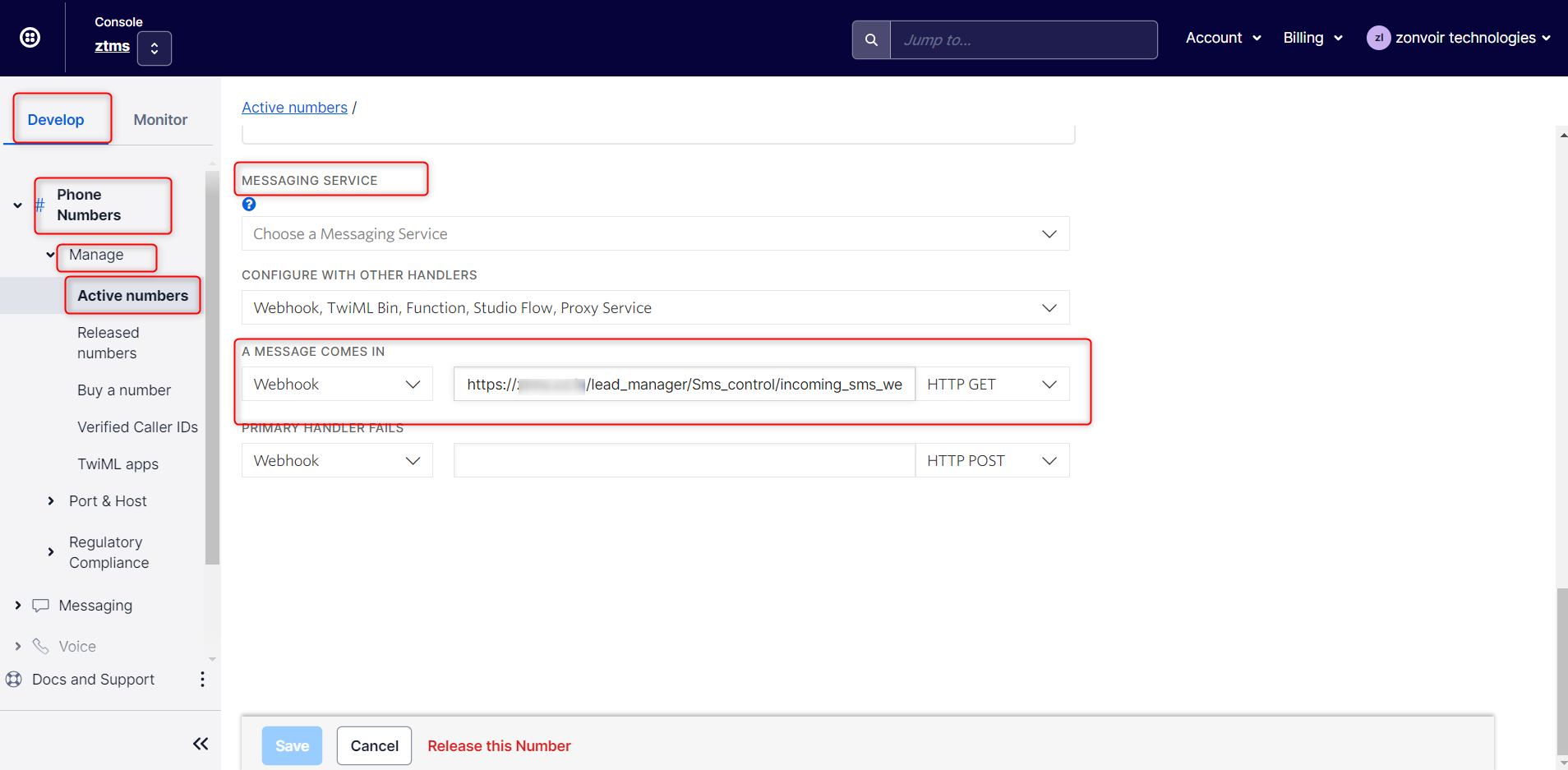
Step3: Click on Develop Tab --> Phone Numbers --> Manage--> Active Number--->
Click on it --> Configure-->Scroll down
Under MESSAGING SERVICE "A MESSAGE COMES IN" Select Webhook
URL: https://domain name/lead_manager/Sms_control/incoming_sms_webhook
Request Method:HTTP GET