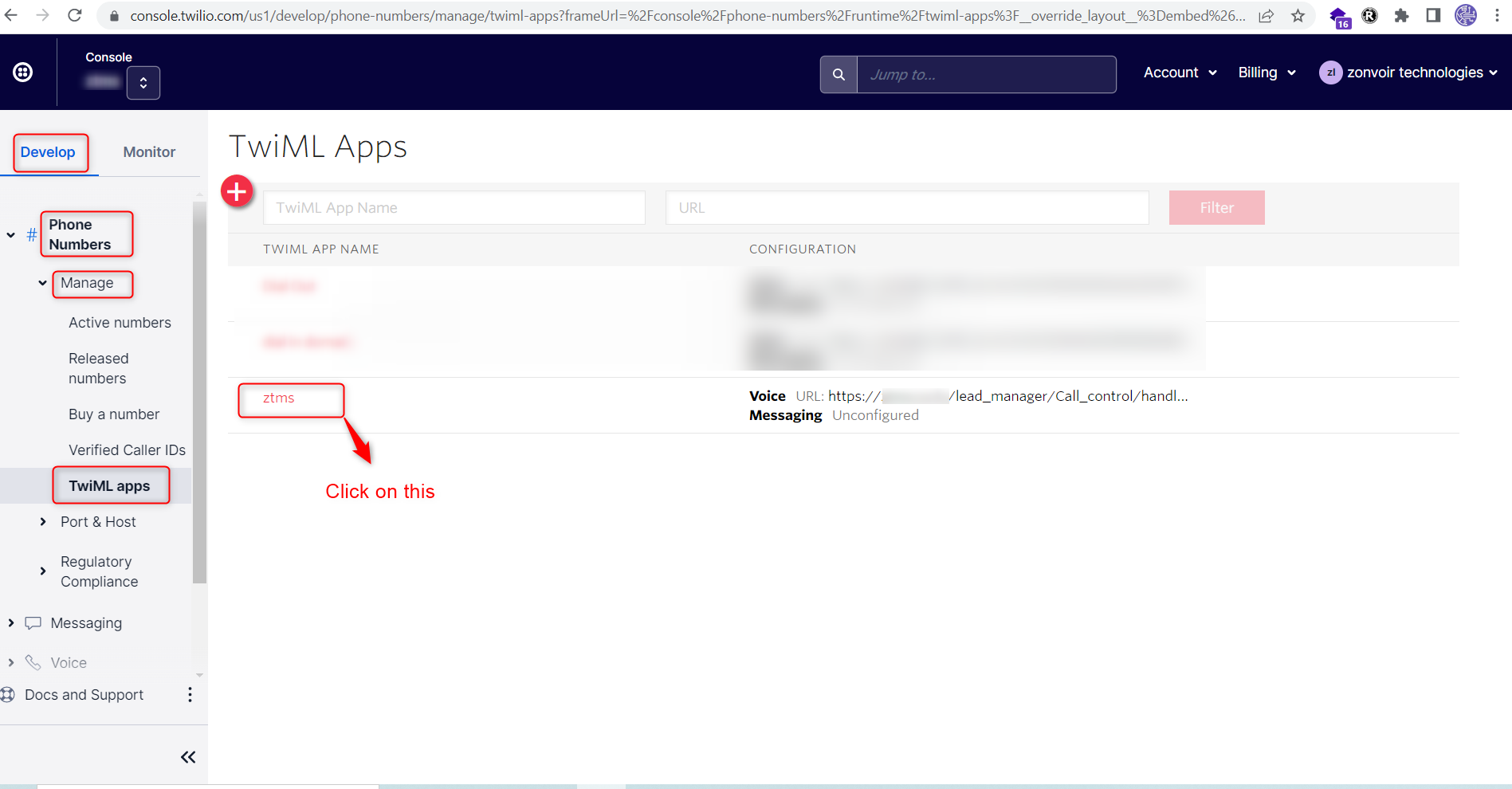
Login the twilio account and click on Left side top corner Develop Tab
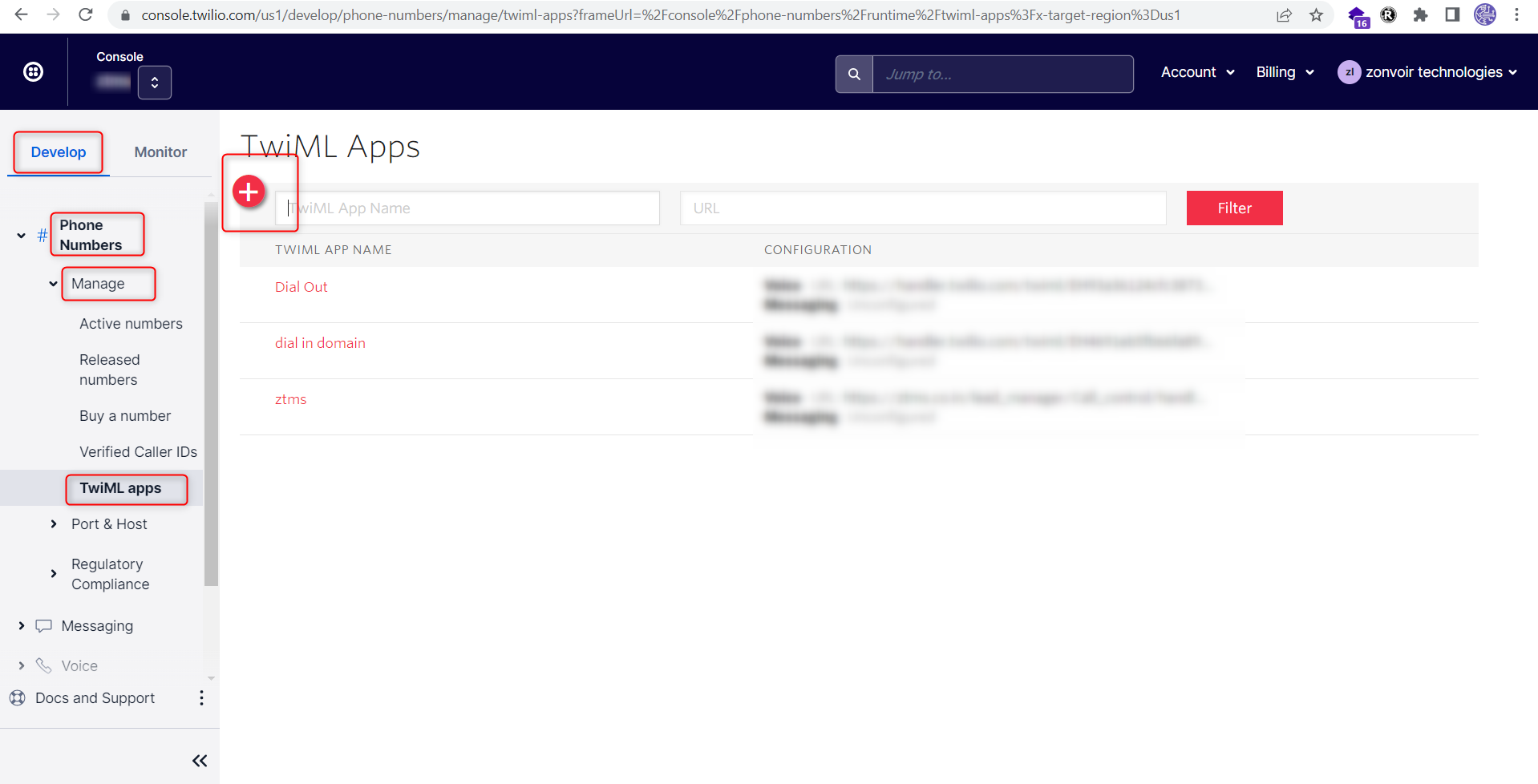
Step 1- Phone Numbers--> Manage--> TwiMl Apps--> click on Create new TwiML App
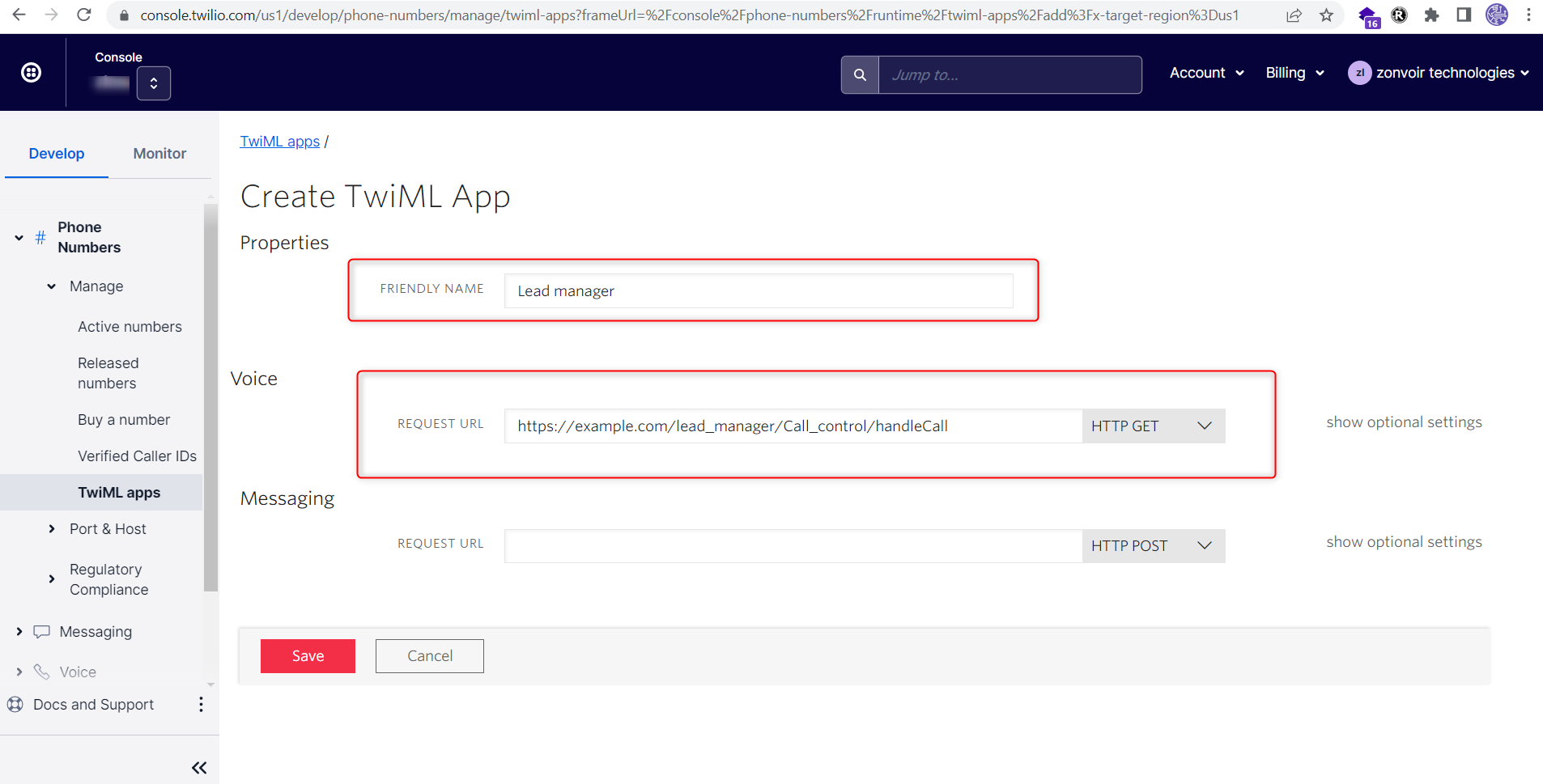
Step 2- 2.1 Friendly Name: Lead manager
Step 2- 2.2 Voice Configuration:
Step 2- 2.2.1 Request URL: https://example.com/lead_manager/Call_control/handleCall
Step 2- 2.2.2 Request Method: HTTP GET
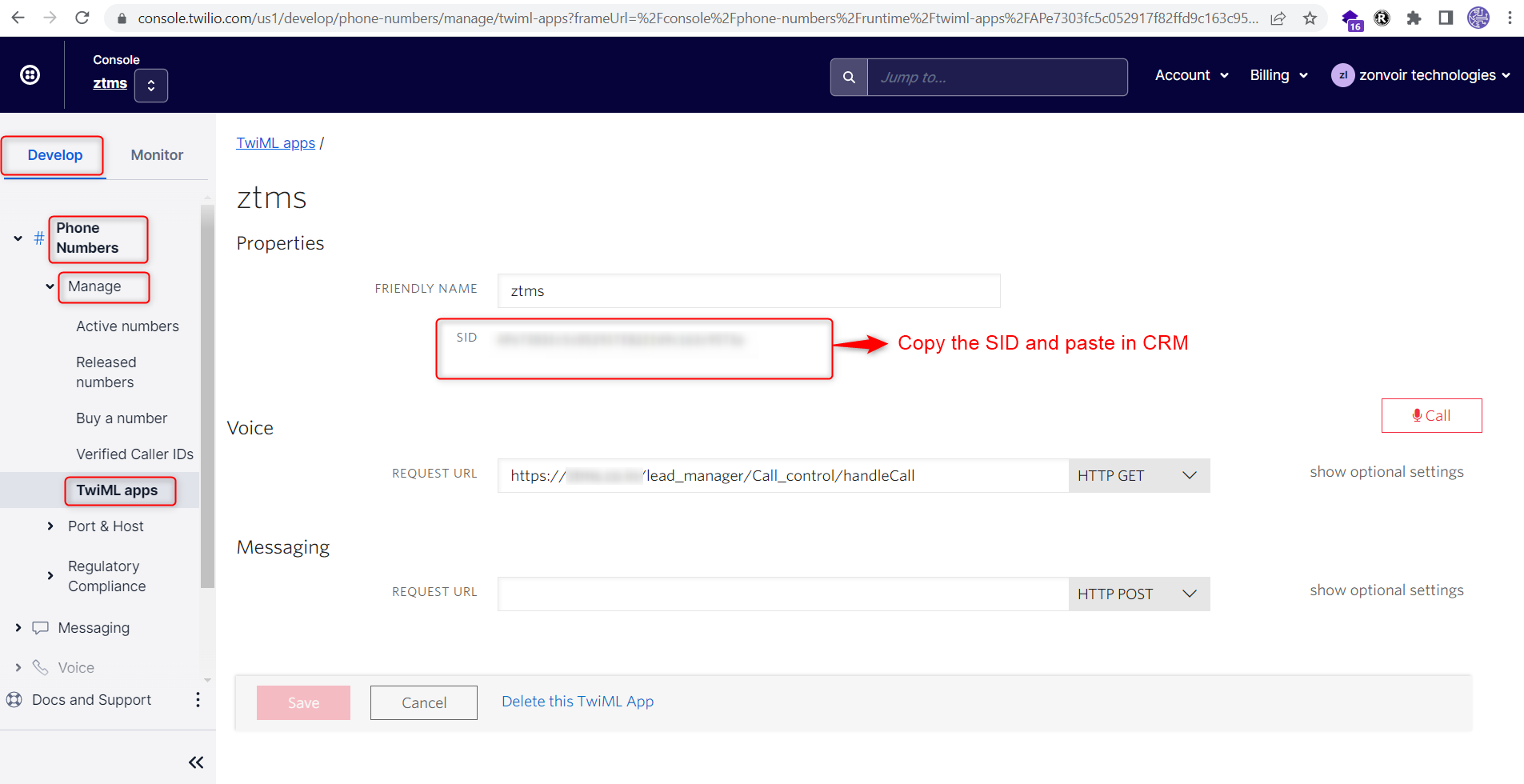
Find the Twiml App SID in twilio account.
click on Left side top corner Develop Tab
Step 1- Phone Numbers--> Manage--> TwiMl Apps--> click on Create new TwiML App