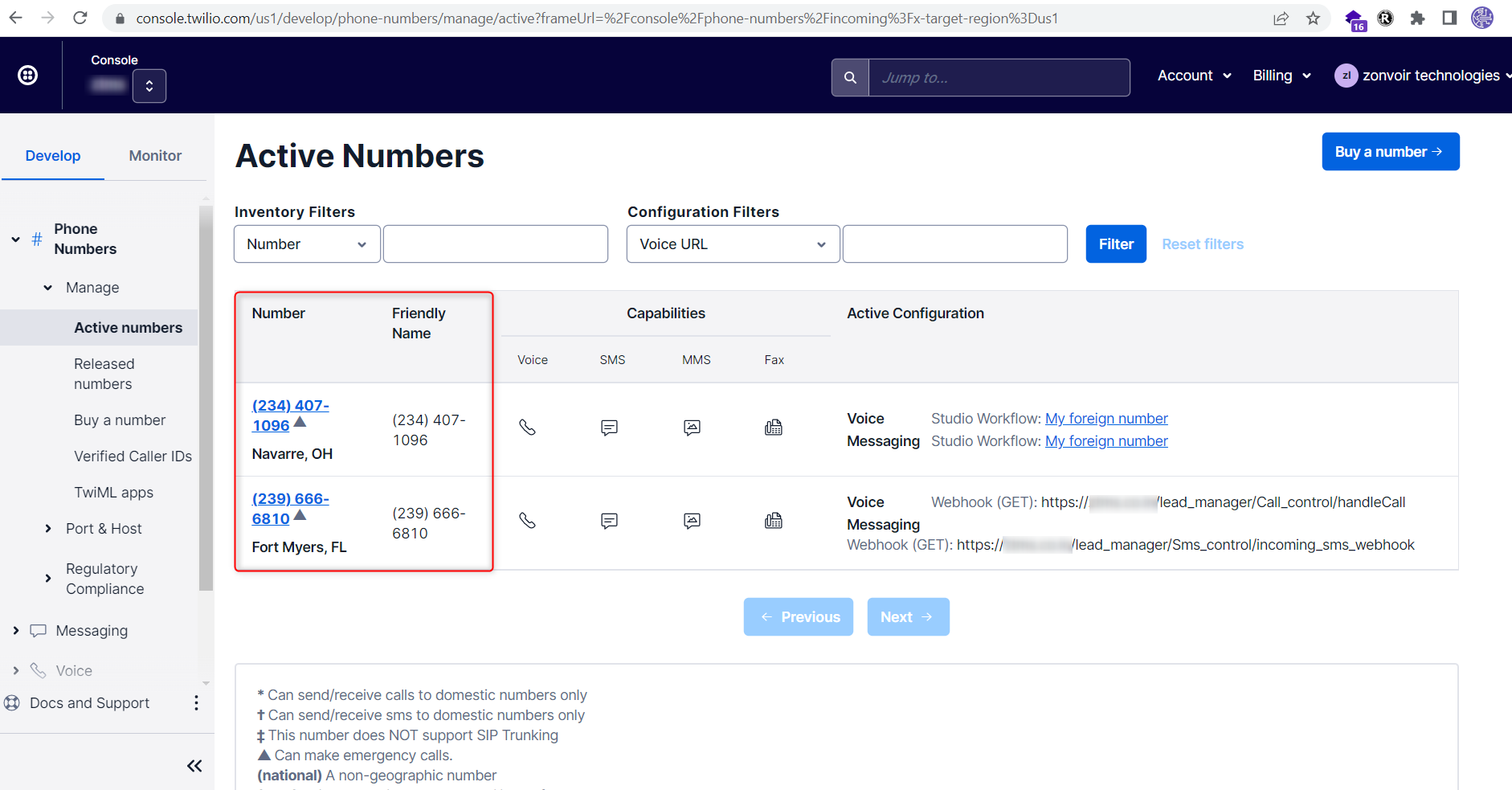
Step1: Twilio Integration with Lead manager module.
Note: Before make a call kindly set your Geographic Permissions click here:
Install the lead mamanger module and activate from modules.
1- Open then Perfex CRM click into Setup
2- Setup--> Settings--> Lead manager--> Twilio Voice call
Enter below fields:
1-Account SID:
2-Auth Token:
3-Twilio Phone Number: There is no space allowed in phone number. Correct formate is- +1123456789
4-Twiml app SID:
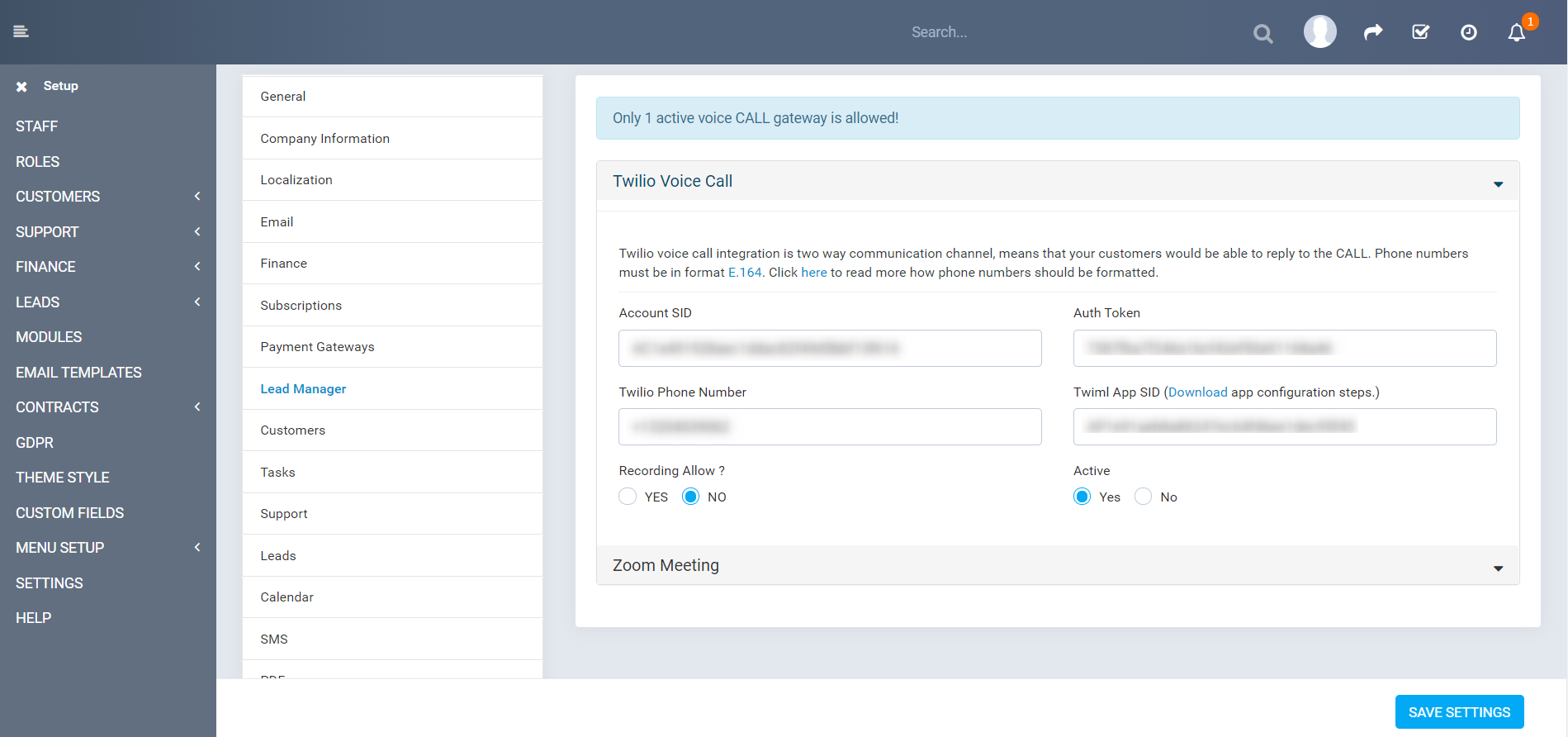
Step 2: Find details in Twilio account
Login the twilio account it will be redirect on dashboard page.
URL- https://www.twilio.com/console
1- Account SID
2- Auth Token
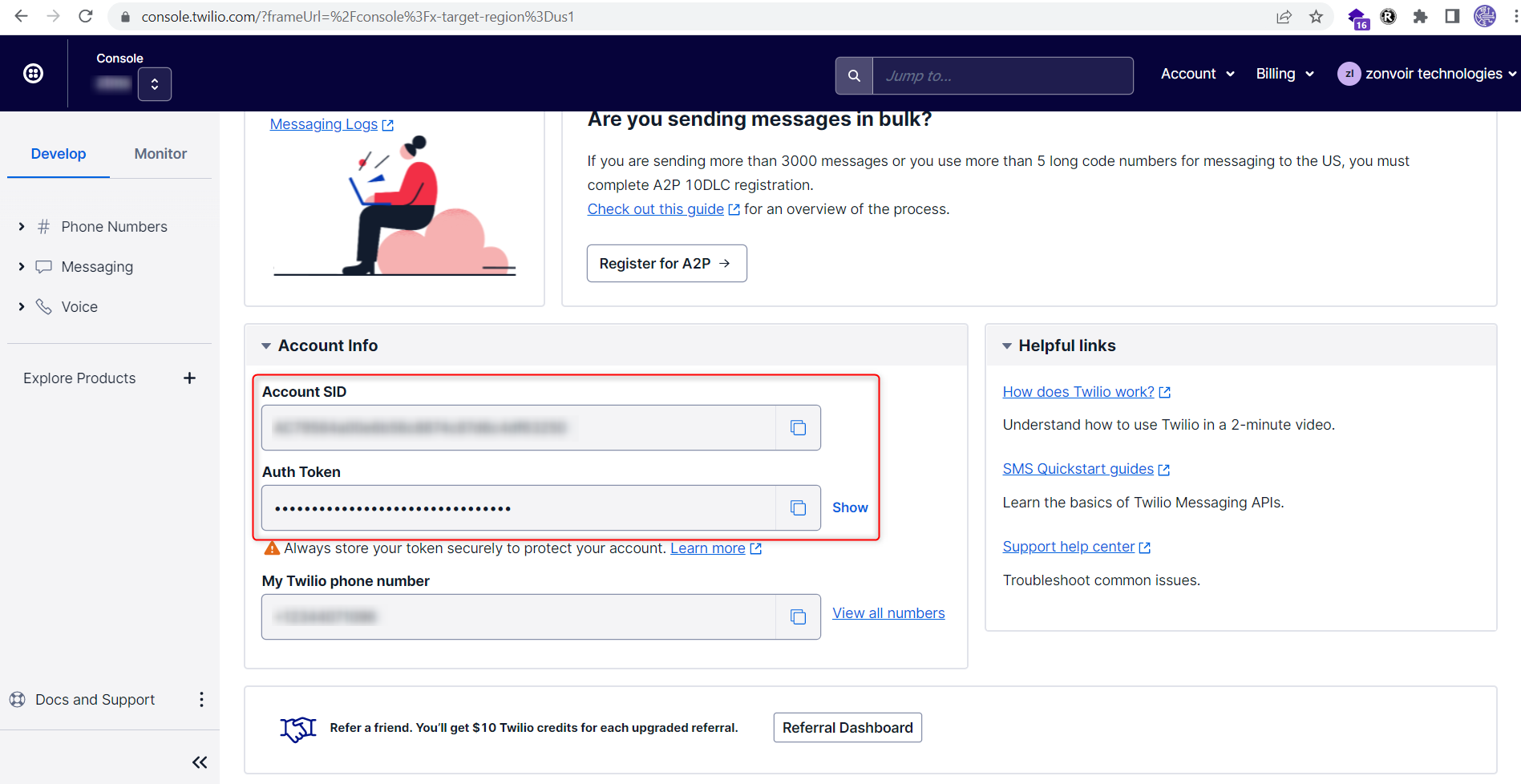
Step 3: Find the Twilio Phone Number.
URL- https://www.twilio.com/console/phone-numbers/incoming
Login the twilio account and click on Phone Numbers --> Manage --> Active Numbers